DeFi Saver guide to mastering Aave v4
In this post, we'll cover a step-by-step walkthrough of the Aave V4 dashboard on DeFi Saver: everything from opening positions to advanced management tools. Learn how to navigate Markets, optimize your setup, and manage risk with full visibility into your position.
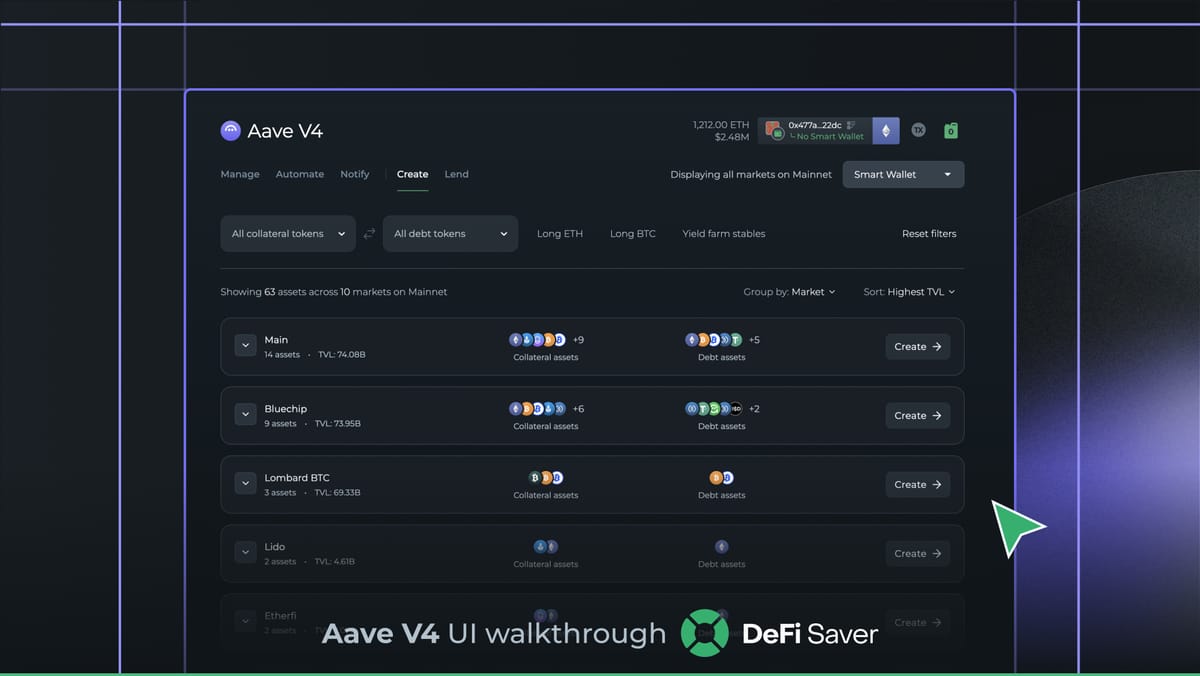
As you know, with Aave V4 now live, DeFi Saver has shipped a dedicated dashboard for it on day 1.
We’ve already covered all of the novelties Aave V4 introduced to the ecosystem, such as Risk Premiums, Hubs and Markets (Spokes), and the new liquidation model. But today, we’ll be taking a closer look at the dashboard and see everything you can do with Aave V4, on DeFi Saver.
Without further ado, let’s dive in!
#1 Finding Aave v4
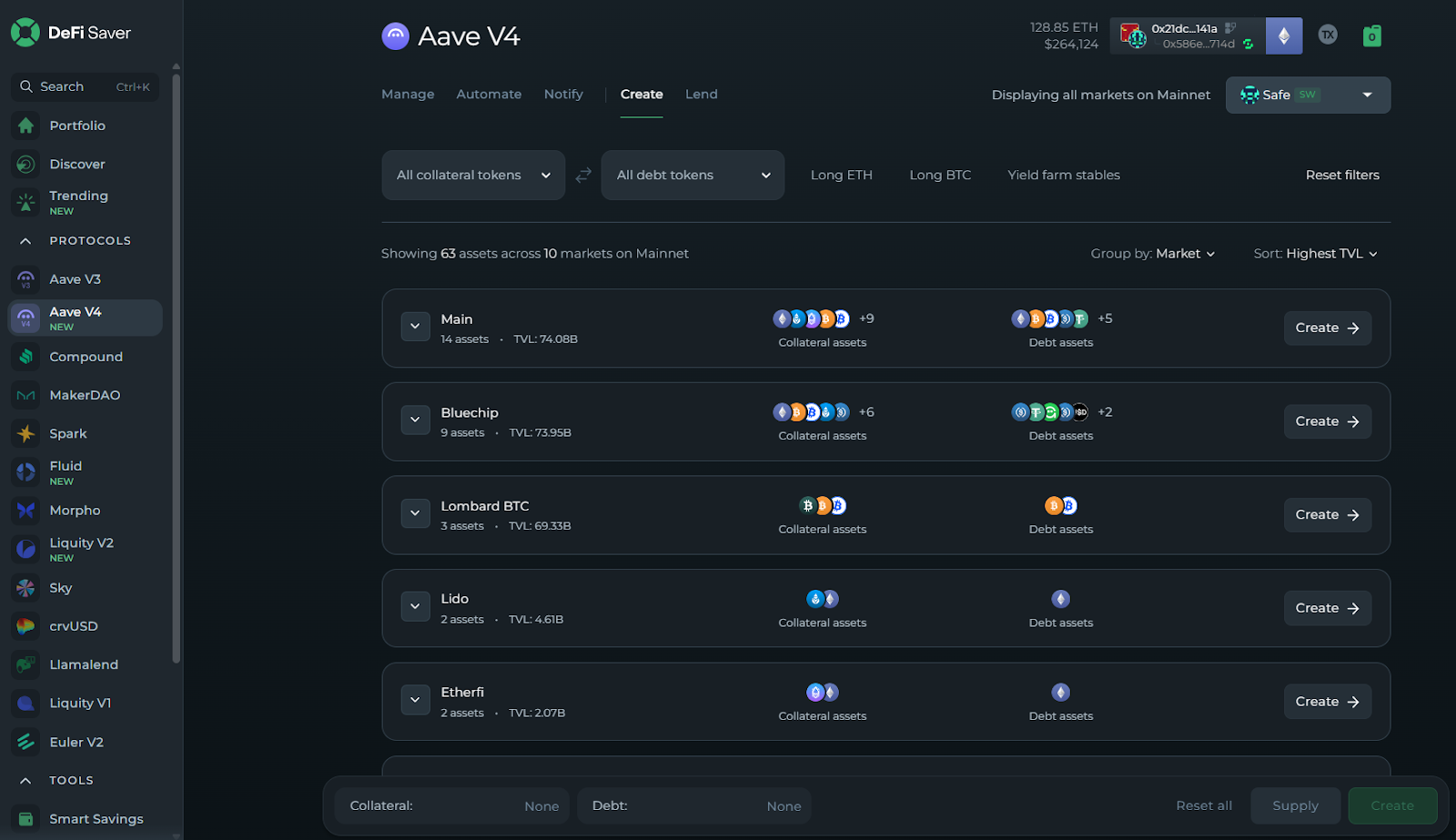
The first thing to note is that Aave V4 lives separately on the left-hand sidebar from Aave V3. Make sure you're accessing the correct dashboard before getting started:
#2 Creating a position
Opening the Aave V4 dashboard lands you on the "Create" page.
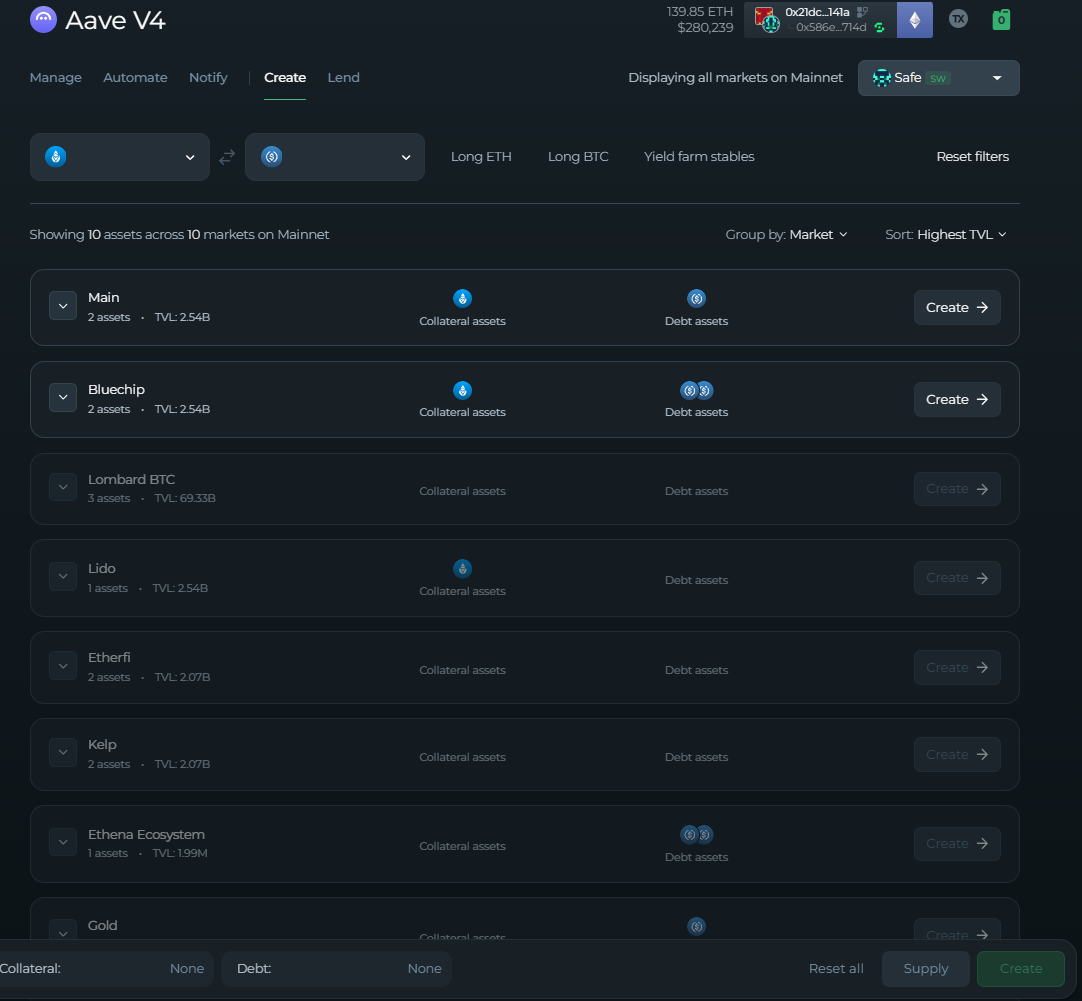
Right away, you'll notice two key elements: selectable Markets and Collateral/Debt filters. There are also quick-select strategy filters available - Long ETH/BTC and Yield Farming Stables - if you already know what you're going for.
Selecting your collateral and/or debt asset will automatically reflect which Markets are available to you. Markets that don't support your intended position are fully greyed out, while available ones display the number of remaining assets to choose from:
Expanding a Market gives you a full breakdown of every available asset, along with the metrics that matter most:
- Risk Premium (Collateral Risk);
- Collateral Factor (LTV);
- Supply APY / Borrow APY;
- Supply Cap / Borrow Cap.
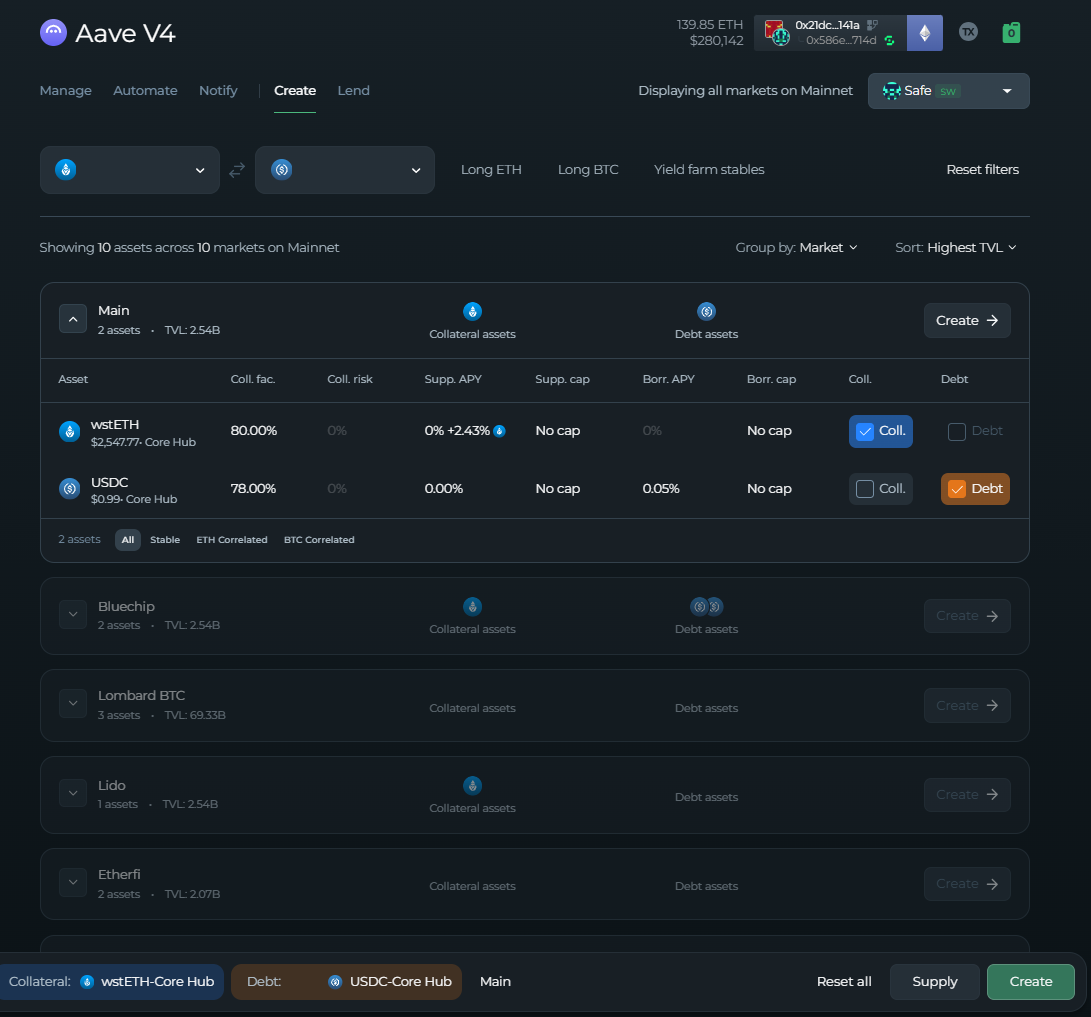
One thing worth noting: the Risk Premium is not factored into the Borrow APY shown on the "Create" page.
However, once you move to actually create the position, the dashboard will display a full Net APY preview that does include your collateral asset's Risk Premium - so you always get an accurate picture before confirming.
Once you've selected your Market, collateral, and debt asset, hitting "Create" takes you to a new page where you can either open a standard borrow position or go straight into a leveraged one - both in a single transaction:
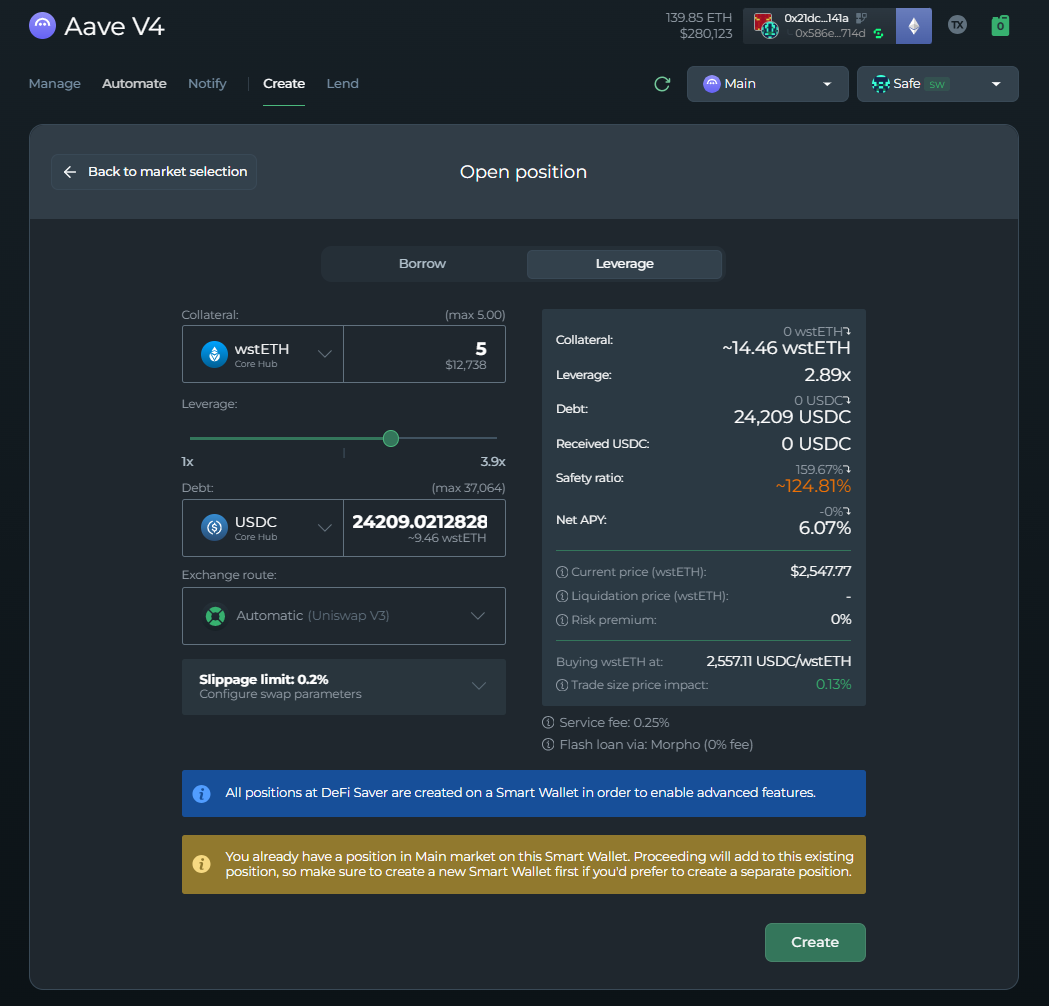
On the right-hand side, you'll see a full preview of your position's metrics - with the Net APY including the collateral asset's Risk Premium to ensure you get the most accurate number.
When everything checks out, click Create and voila!
#3 Managing Your Position
Once your position is open, the "Manage" dashboard becomes your home base. From here, clicking on the dollar amount of your collateral or debt will show you exactly which Hub your Market is connected to.
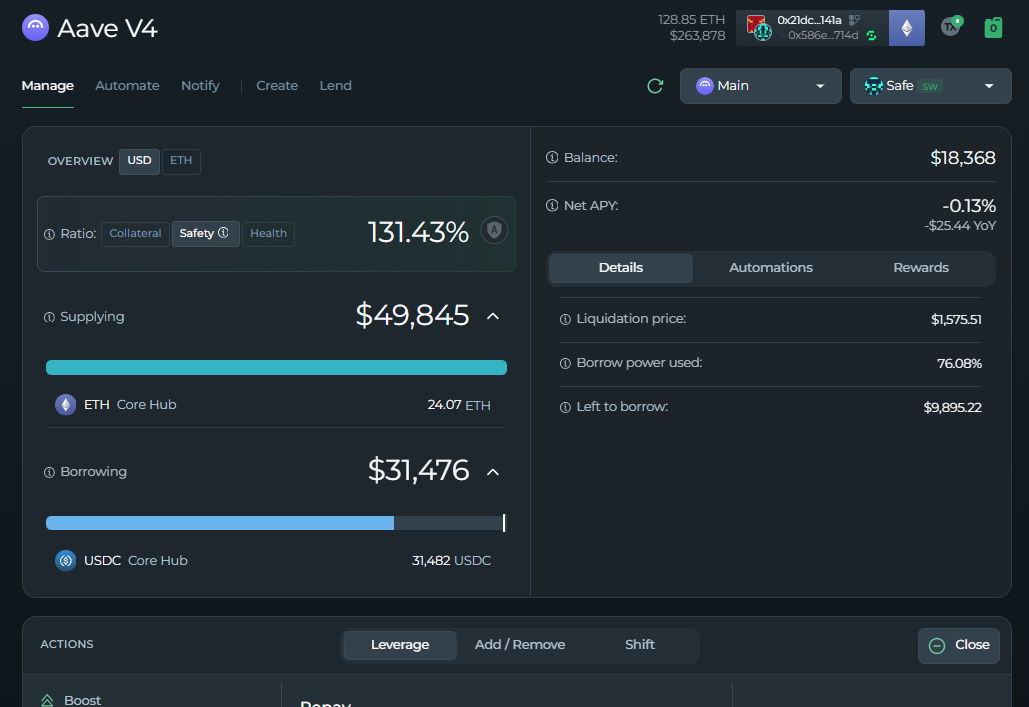
Key metrics visible at a glance:
- Net APY (Risk Premium included);
- Liquidation Price;
- Net Balance;
- Borrow Power Used.
Now, in terms of manual management actions available for Aave V4 positions, here is what you have in your arsenal/at your fingertips:
- Boost - Borrow more debt, swap to collateral, and supply it - increasing your exposure in one transaction;
- Repay - Swap part of your collateral to repay debt and improve your safety ratio;
- Supply - Add more collateral to strengthen your position;
- Withdraw - Remove collateral, reducing your safety ratio;
- Borrow - Take on more debt from your current position;
- Pay Back - Repay part or all of your outstanding debt;
- Collateral Switch - Swap your collateral asset in one transaction;
- Debt Switch - Swap your debt asset in one transaction.
Before you execute any of these, the dashboard previews your updated position metrics based on the values you've entered. It's also worth noting that we use meta-aggregation to scan multiple DEXs in order to find the best token swap rates for your transactions.
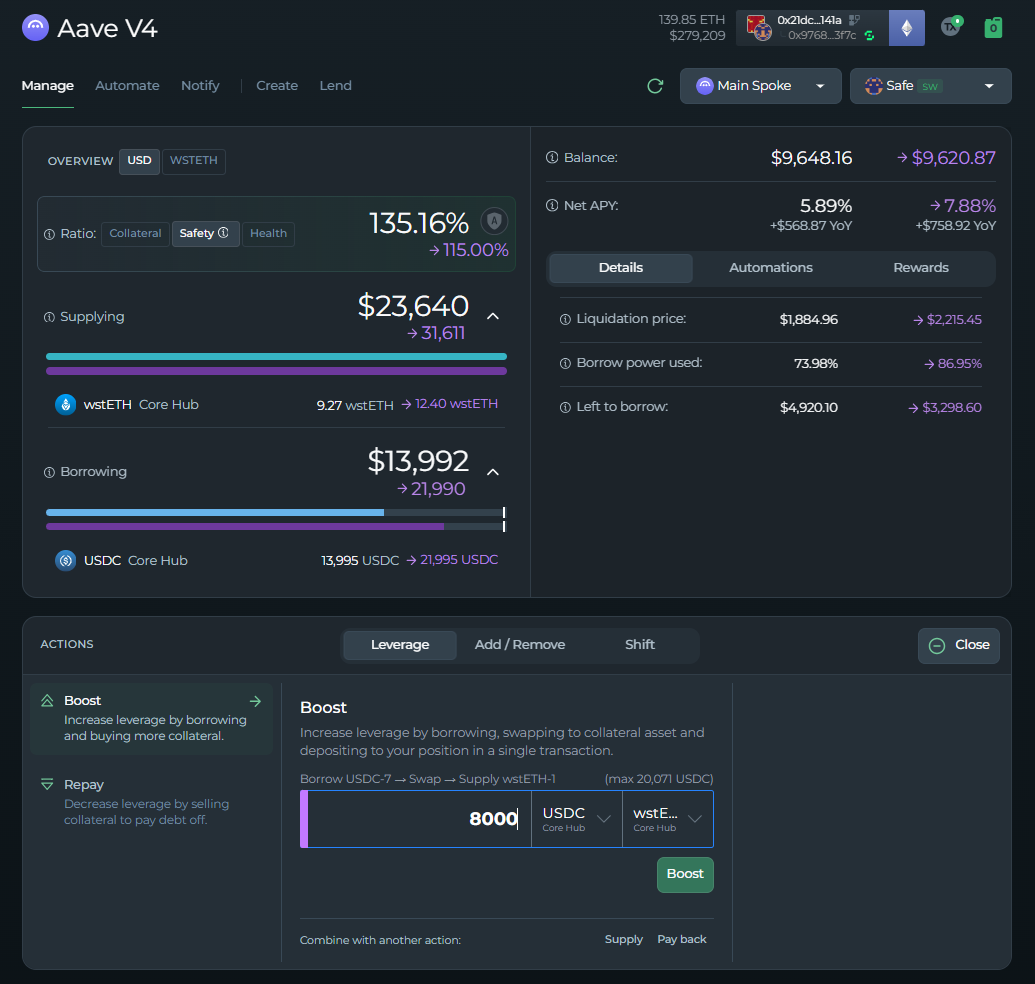
You're now well-equipped to manage your Aave position on DeFi Saver efficiently!
#4 Automations
We first introduced Automation for Aave in 2020, and since then, DeFi Saver has helped save thousands of positions from liquidation, through each and every iteration of DeFi's leading protocol, and now it's available from day-1, for Aave V4.
Aave currently supports all of DeFi Saver's Automations, meaning that opening a position with it gives you access to a plethora of Automation options.
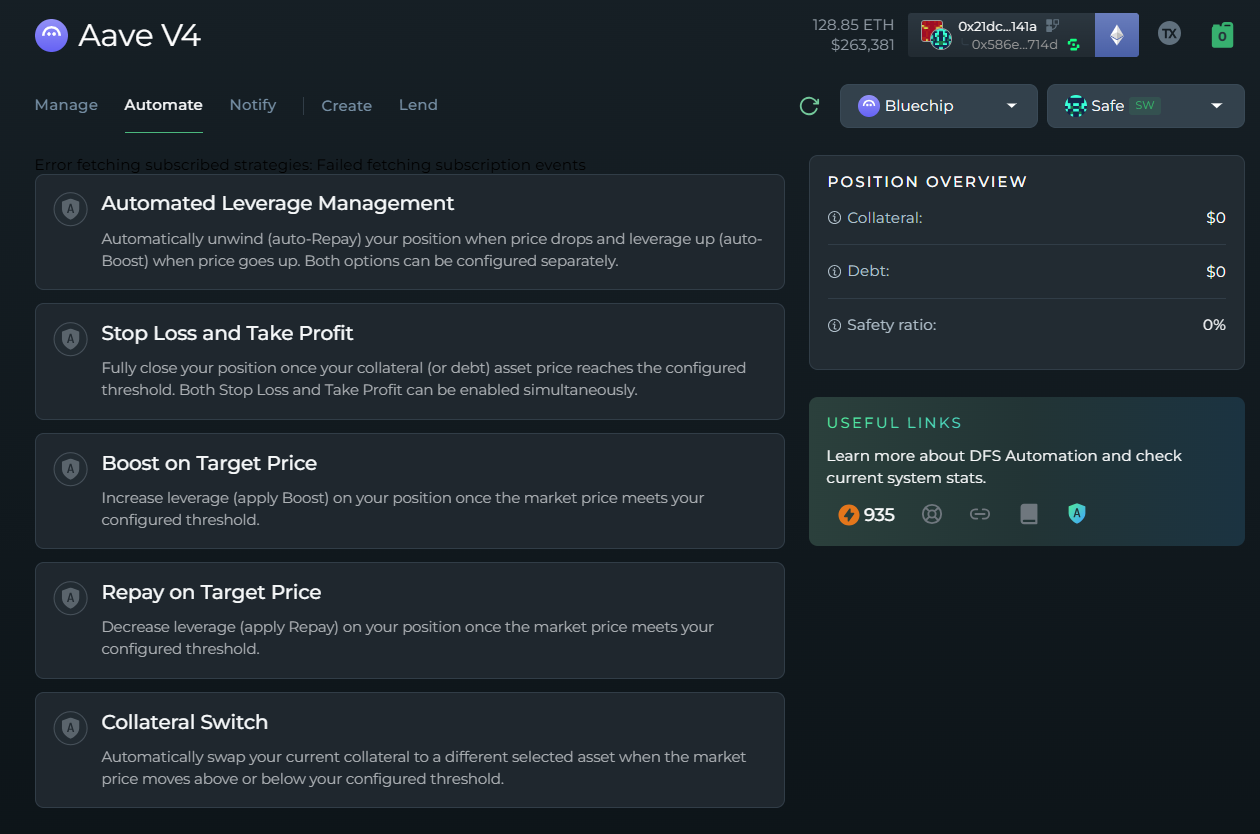
From day one, we're offering the full suite of Automations, both for liquidation protection and profit taking for Aave V4 users, such as:
- Automated Leverage Management (Continuous automated Boost & Repay based on ratio thresholds);
- Boost on Price and Repay on Price (One-time automated Boost & Repay based on a price trigger).
All DFS Automation options are currently available for smart wallet positions, with support for EOA positions expected to go live next week.
#5 Lending
Beyond borrowing, Aave V4 also lets you lend assets directly to one of the available Hubs.
Clicking the "Lend" tab shows all available Hubs, and you can either browse by Hub or filter directly by asset.
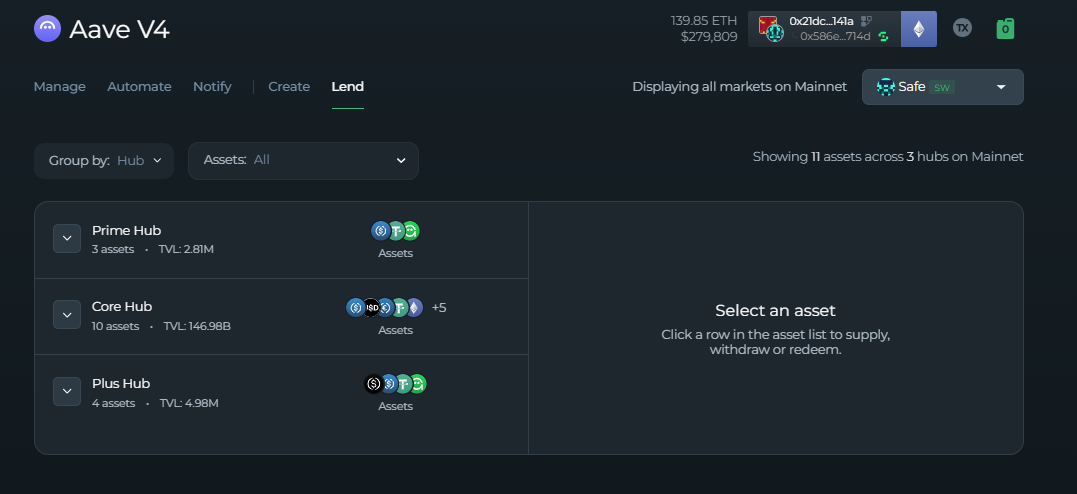
Selecting an asset opens a panel on the right where you input your desired amount and confirm.
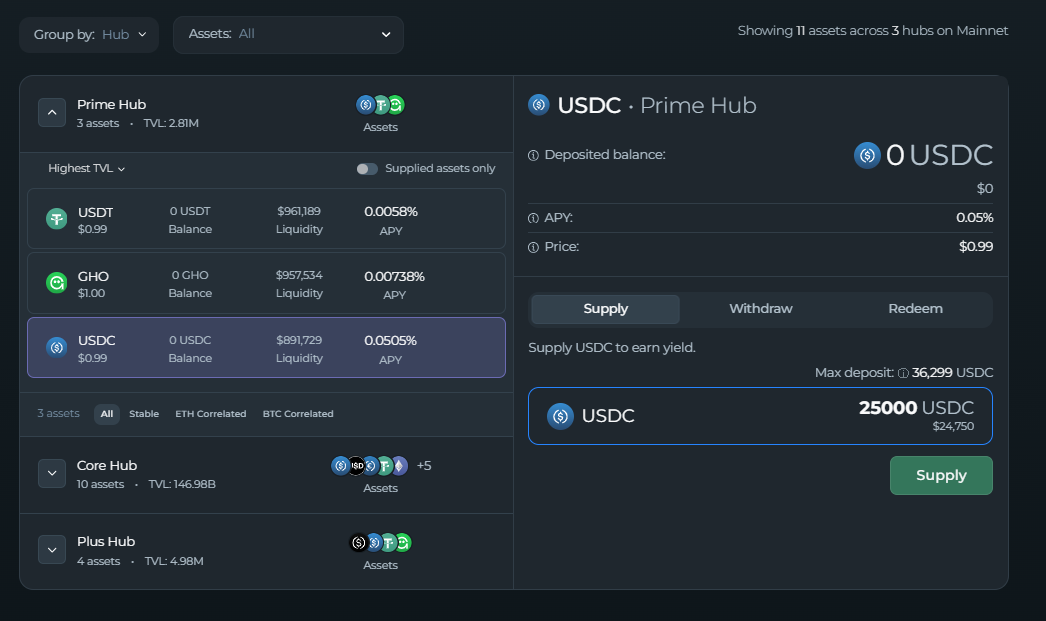
Supplied assets are accessible through the Portfolio page or by returning to the "Lend" tab at any time.
#6 Closing Your Position
When it's time to close, the process is straightforward. Head to the main dashboard, hit the "Close" button:
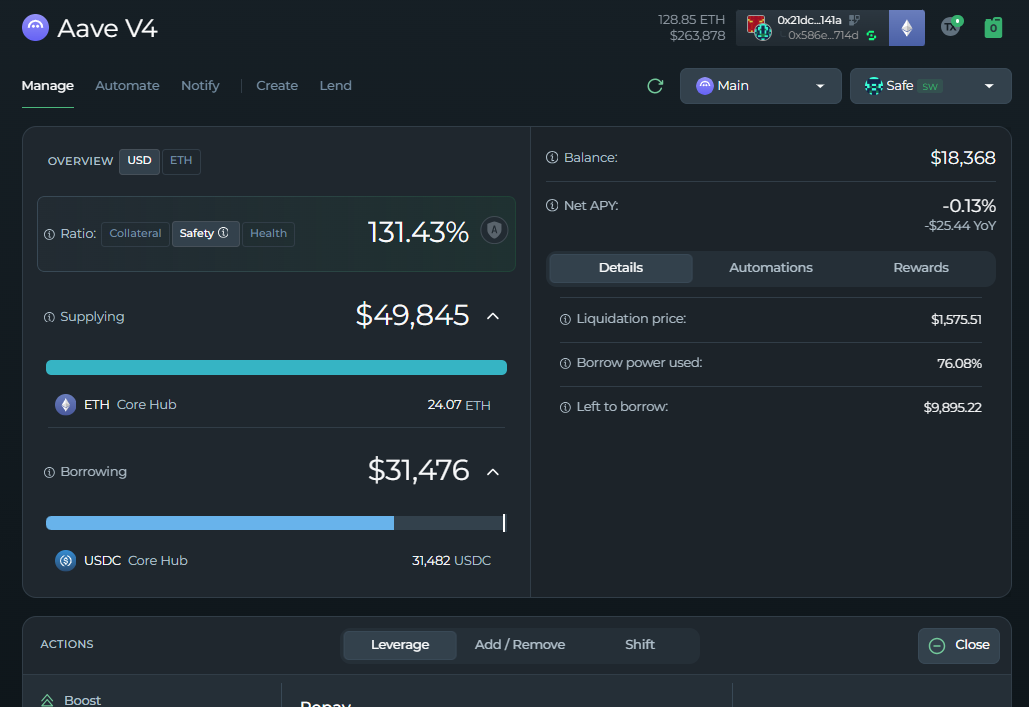
This will open a pop-up window, where you’ll be able to choose how you’d like to close the position:
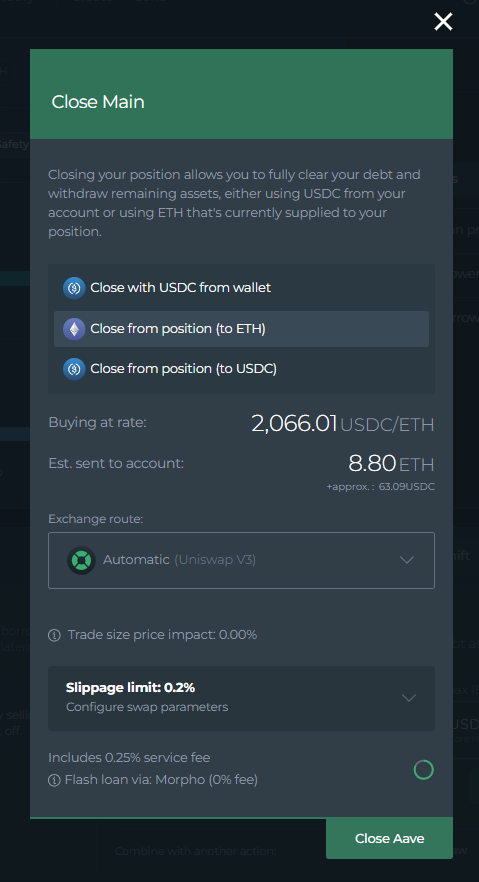
You’ll be able to choose whether all of your collateral should be swapped to the debt asset and withdrawn, or just enough to pay back the debt (Close to collateral or Close to debt)
Continued improvements and what’s next
From day one, we aimed to support the vast majority of DeFi Saver tools, which cover some of the most common DeFi use cases.
However, there are certain features that aren’t there from the get-go, but will be available in the near future:
- Automations for EOA positions (only available for Smart Wallet positions);
- Position Flip (instantly switch from a long into a short position within 1 tx);
- Notify ( set up notifications (via telegram or email) for position health changes, as well as market cap changes);
- Close for EOA positions (only available for Smart Wallet positions);
- Dedicated V3 to V4 migration tool (currently only achievable through the Loan Shifter tool);
- Trending page & Zaps (New custom-built recipes for Aave V4, executed within 1 tx).
And if you want to compare market offers at a glance, between various Markets on Aave V4 (or with those on other protocols), head over to our Discover tool to find the best option for your assets and strategy.
You can also head to our DFS YouTube channel for a video walkthrough of our Aave V4 dashboard:
We hope you enjoyed reading, and make sure to contact our support guys via the DFS Discord, for additional help and any questions you might have.
Follow us for more Aave V4 updates, and until the next post, stay safe out there!
Stay connected: