
Loan Shifter V2: A simpler way to shift your DeFi position
Loan Shifter has been one of our core tools since 2020. Now, V2 brings a refreshed interface, faster loading, and more flexibility, including support for EOA positions and partial shifts.
Back in 2020, we first introduced Loan Shifter to make sure that if you have a DeFi loan, you shouldn’t necessarily have to close it down and rebuild it from scratch just because you want to change one aspect of it. Not to mention, not a lot of users have the spare funds to repay the debt.
Maybe you want to move your position to a different protocol because the borrowing conditions look better there. Maybe you want to switch your collateral from ETH to WBTC, or from a volatile asset into a stablecoin. Or perhaps you simply want to change your debt asset.
Loan Shifter was built to handle all of these cases in a single tx. And the initial idea behind it hasn’t changed much, though quite a bit has happened since 2020.
Most of all, the number of protocols and assets available in DeFi has grown, and positions have become more complex.
So, we thought it was time to give it a bit of a rethink.
A quick look back
When we first introduced Loan Shifter, the interface was highly utilitarian. You would select your current position, choose where you wanted to shift it, and let DeFi Saver handle the complex parts in between.
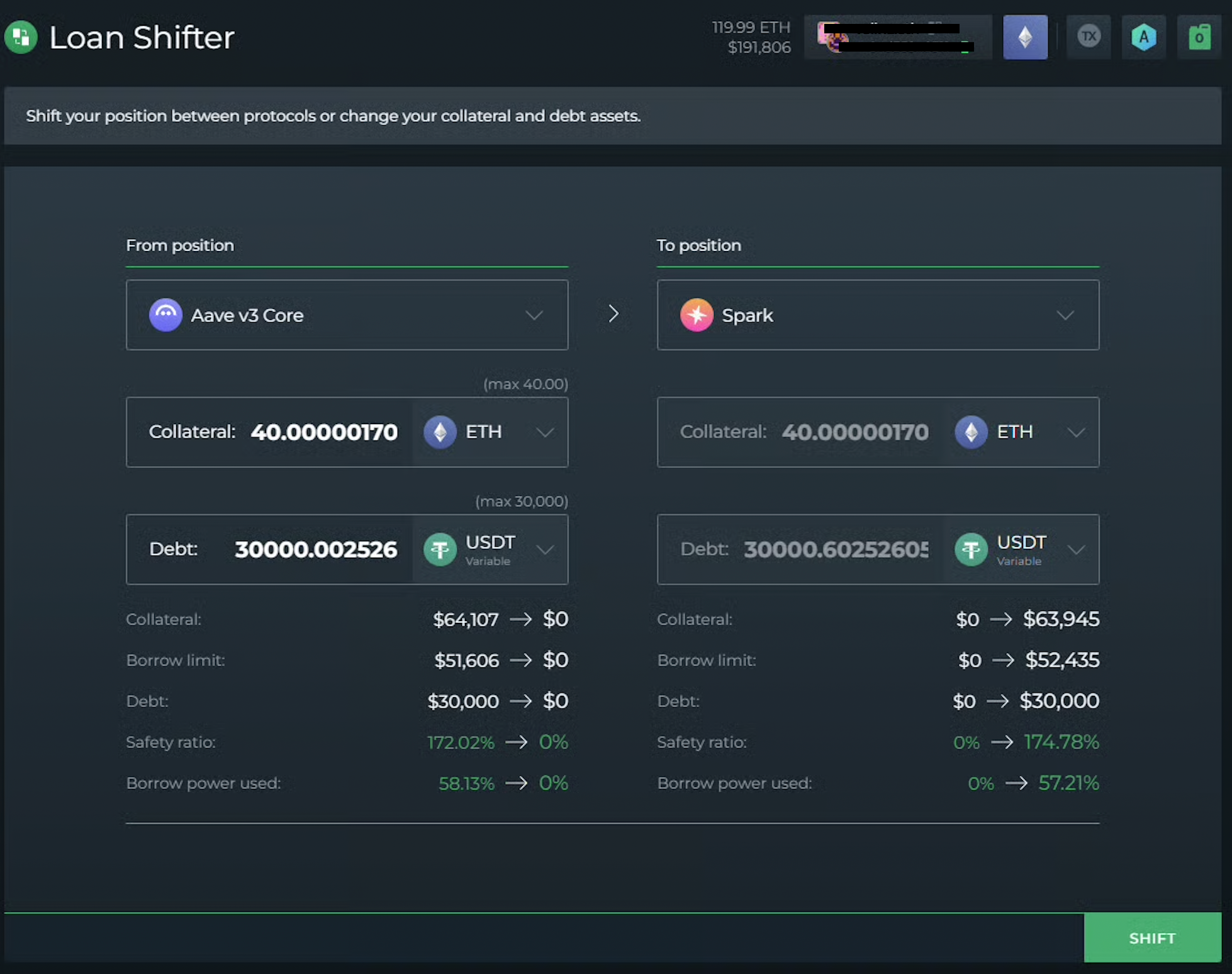
Doing the same thing manually would mean paying back your debt, withdrawing your collateral, swapping the asset, depositing it into a new position, and borrowing again.
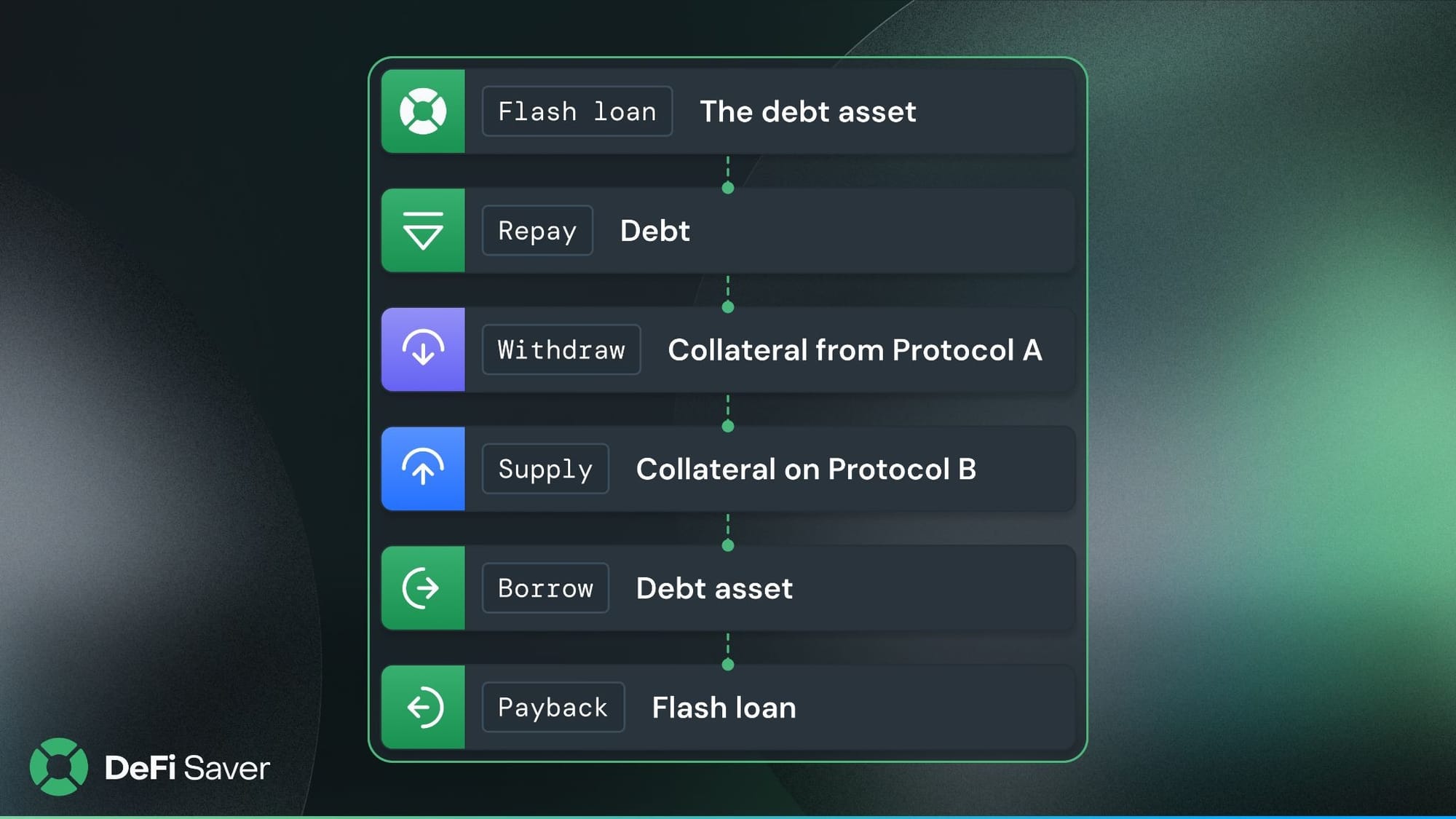
Loan Shifter takes all of that and bundles it into a single tx. The exact flow depends on what you’re doing, whether that’s switching collateral, switching debt, or moving your position to a completely different protocol.
For a protocol switch, the general flow looks something like this:
And yeah, the feedback was great. But back then, there were far fewer options to choose from, and the DeFi ecosystem was considerably less complex.

Fast forward more than six years, and things have changed quite a bit. There are more protocols, more assets, and more ways to set up a lending position.
With all these options come more things to consider when deciding where and how to shift your position.
So, what’s changed?
The first thing you’ll notice is the updated UI, but there’s more to V2 than meets the eye.
Loading is now much faster, and instead of working things out from a minimal interface, you get a clearer overview of your positions and the key metrics you need to make a decision: collateral and debt amounts and asset types, Net APY, liquidation price, and safety ratio.
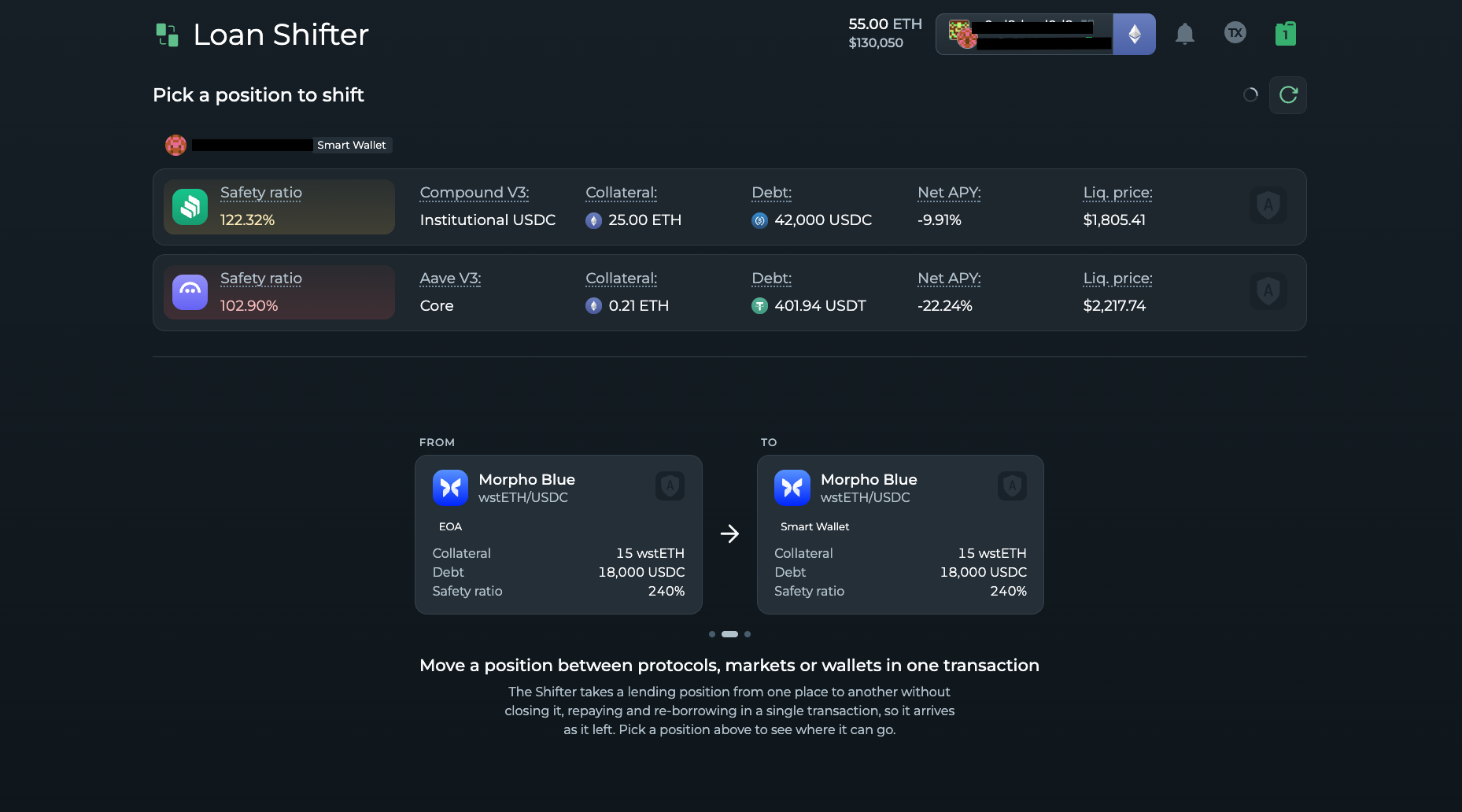
Once you select the position you want to shift, you’ll be presented with all available options for your inputs.
Another major improvement is that Loan Shifter now supports EOA positions.
Previously, only positions held in smart wallets were supported. Now, you can also bring an existing position from an EOA and shift it to another protocol in a single tx.
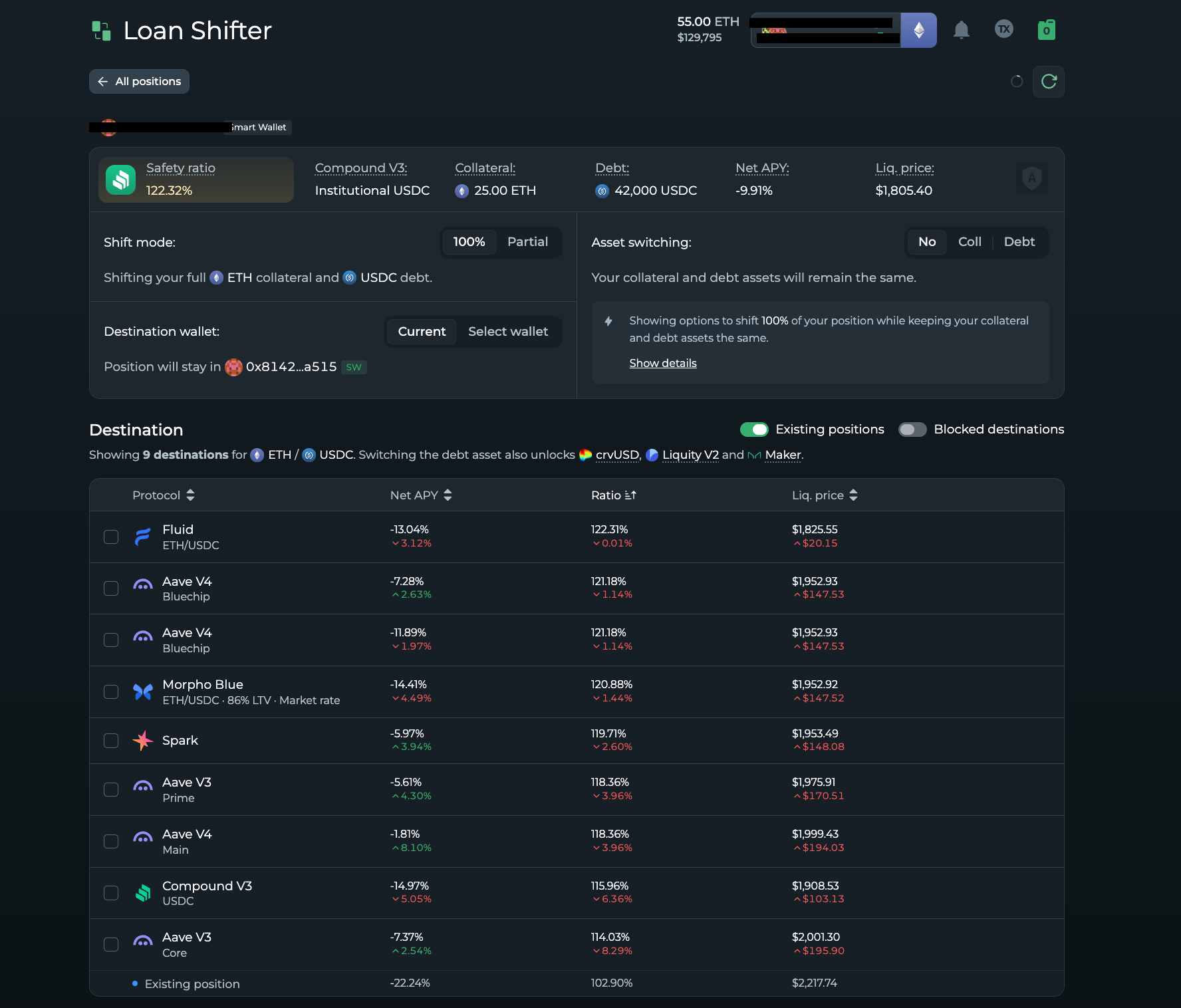
And you’re no longer limited to shifting an entire position, either. If you only want to move part of it, you can do that too.
The same flexibility applies to collateral and debt switches. You can choose to switch the entire amount or just a portion of it, depending on what you’re trying to achieve.
Whatever switch you’re making, you have control over the details. You can choose your swap route, adjust slippage, and select the market you want to switch to, while getting a clear overview of what your position will look like after the switch.
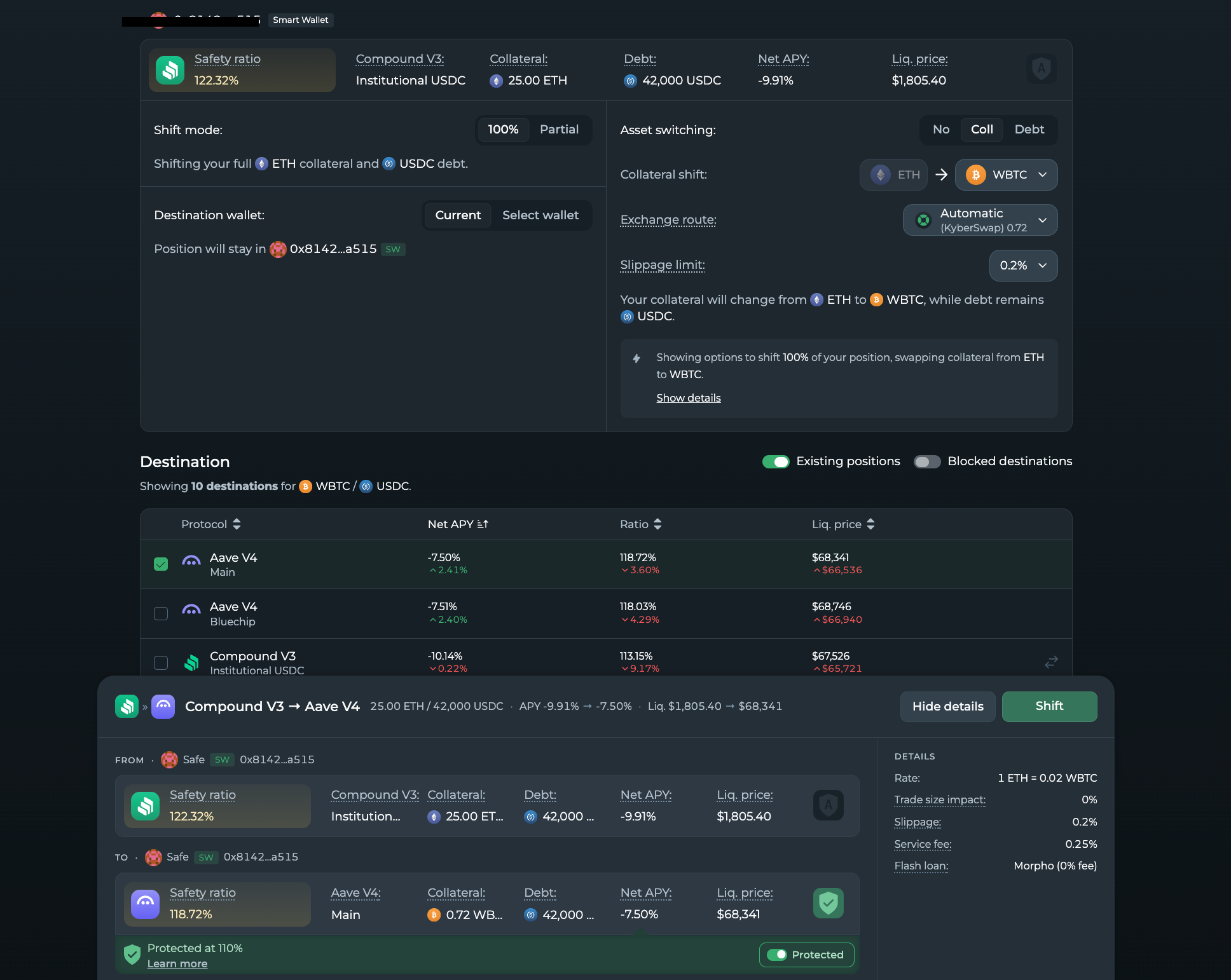
All in all, Loan Shifter V2 keeps the same core idea we introduced back in 2020. The difference is that you now get a much clearer overview of the options available for your position and assets, along with a few extra ways to customise the shift.
And as always, if you run into any hurdles along the way, don’t hesitate to reach out to our support team via DFS Discord.
Until the next post, stay safe out there!🫡
Stay connected:
📢: Official Twitter/X