We brought Polymarket signals to Hyperliquid via DeFi Saver
Prediction markets can tell you when market expectations are changing. Now, DeFi Saver lets you turn those changes into automated Hyperliquid trades.
Prediction markets give traders a way to express probabilities around real-world events. Markets on Polymarket let you see what the general sentiment about certain events is, such as Fed decisions, product launches, elections and geopolitical developments.
Hyperliquid, meanwhile, gives traders an onchain environment for trading perpetuals and other markets, with an order-book-based execution model built for active trading.
Now, DeFi Saver brings the two together.
We built triggers on Hyperliquid that fire off Polymarket odds.
— DeFi Saver (@DeFiSaver) August 31, 2026
"Fed cuts 25bps in September" odds spike +10 pts → long xyz:SPX.
Your market order is placed if the trigger is hit.
Turn odds into orders → https://t.co/EIv0OJJv2g pic.twitter.com/q8tb88ULeG
With the new Polymarket automation for Hyperliquid, you can use prediction-market odds as triggers for your perp trades.
Instead of manually watching an event, waiting for the odds to move, and then rushing to place a trade, you can define the conditions in advance and let DeFi Saver execute your strategy automatically.
Note: If you’re looking for a guide to mastering Hyperliquid on DeFi Saver, make sure to check out one of our previous blog posts. And if you’re completely new to Hyperliquid, we recommend watching one of Pick DeFi’s latest rundowns. It’ll get you up to speed in no time!
Now, where do I start?
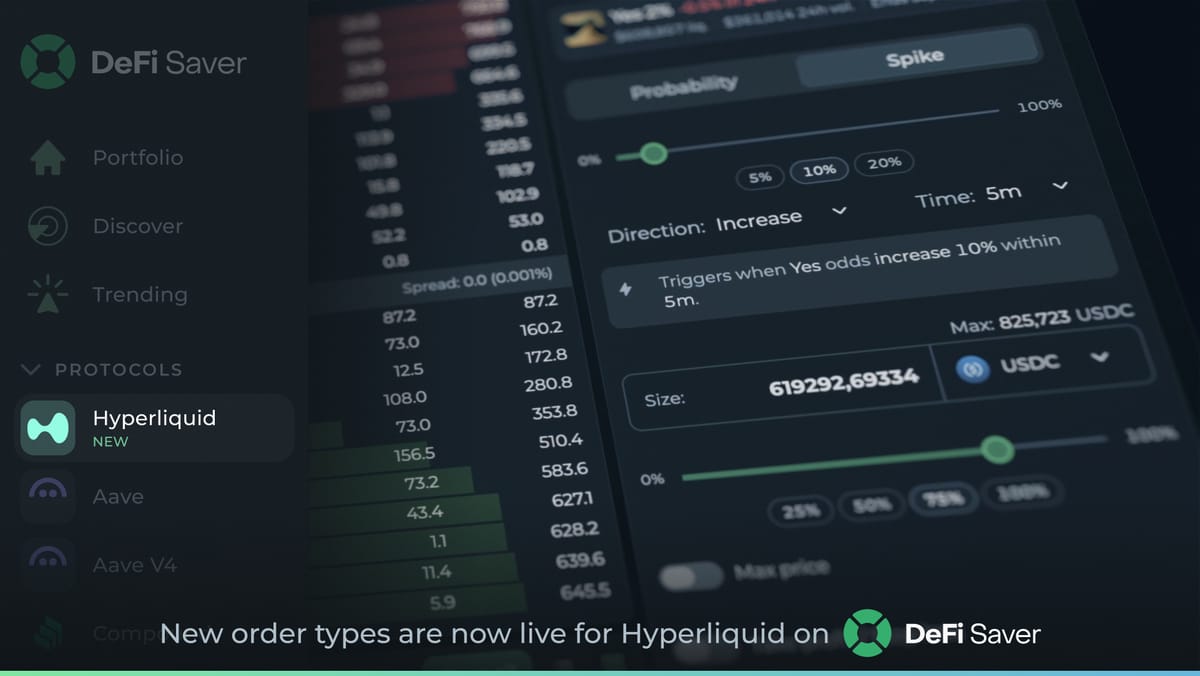
To find Polymarket-based orders, head to the Hyperliquid dashboard on DeFi Saver and look for Orders in the top-left corner of the screen.
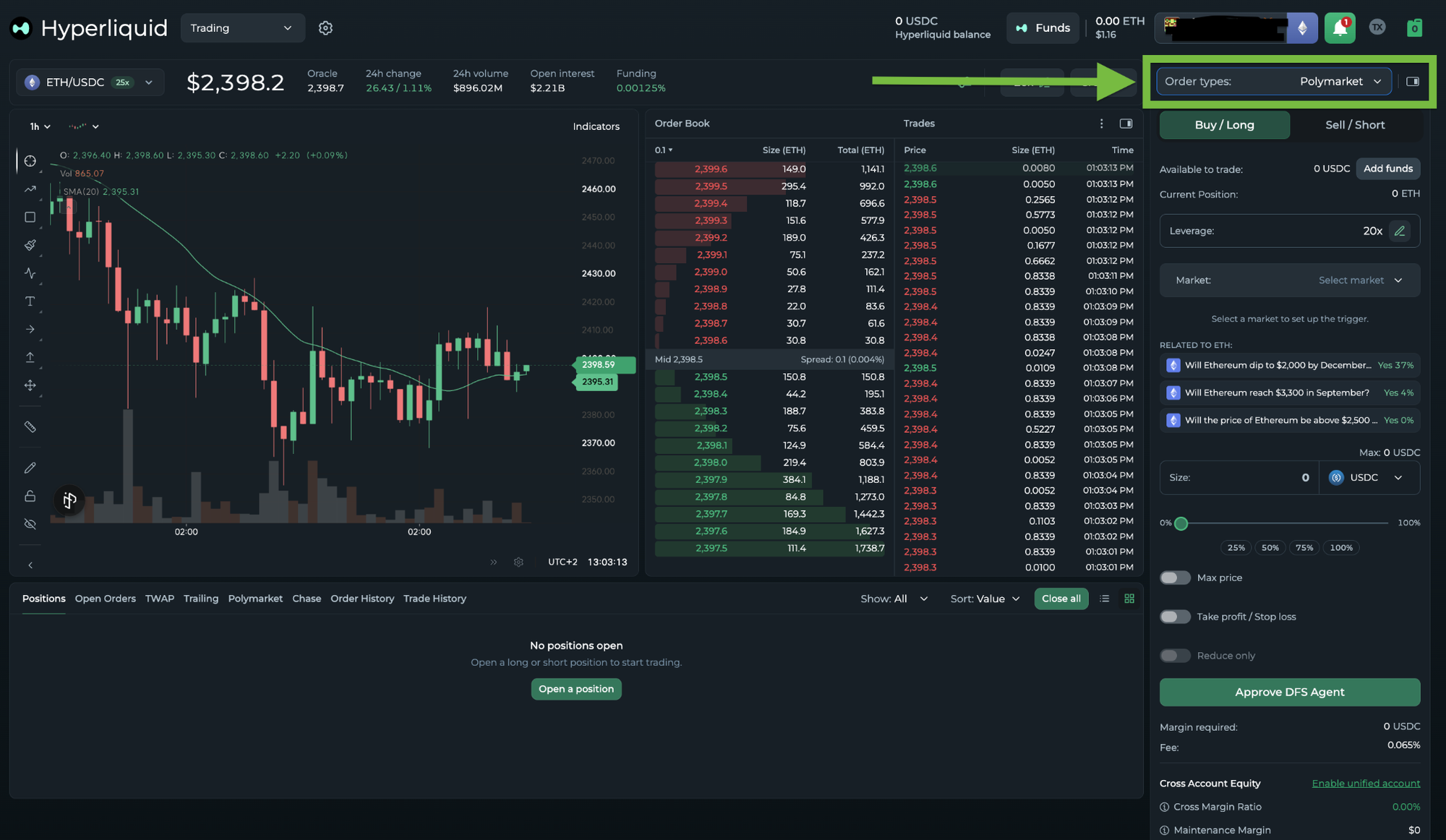
Choose whether you want to open a long or a short position, adjust leverage and browse Polymarkets grouped by common topics.
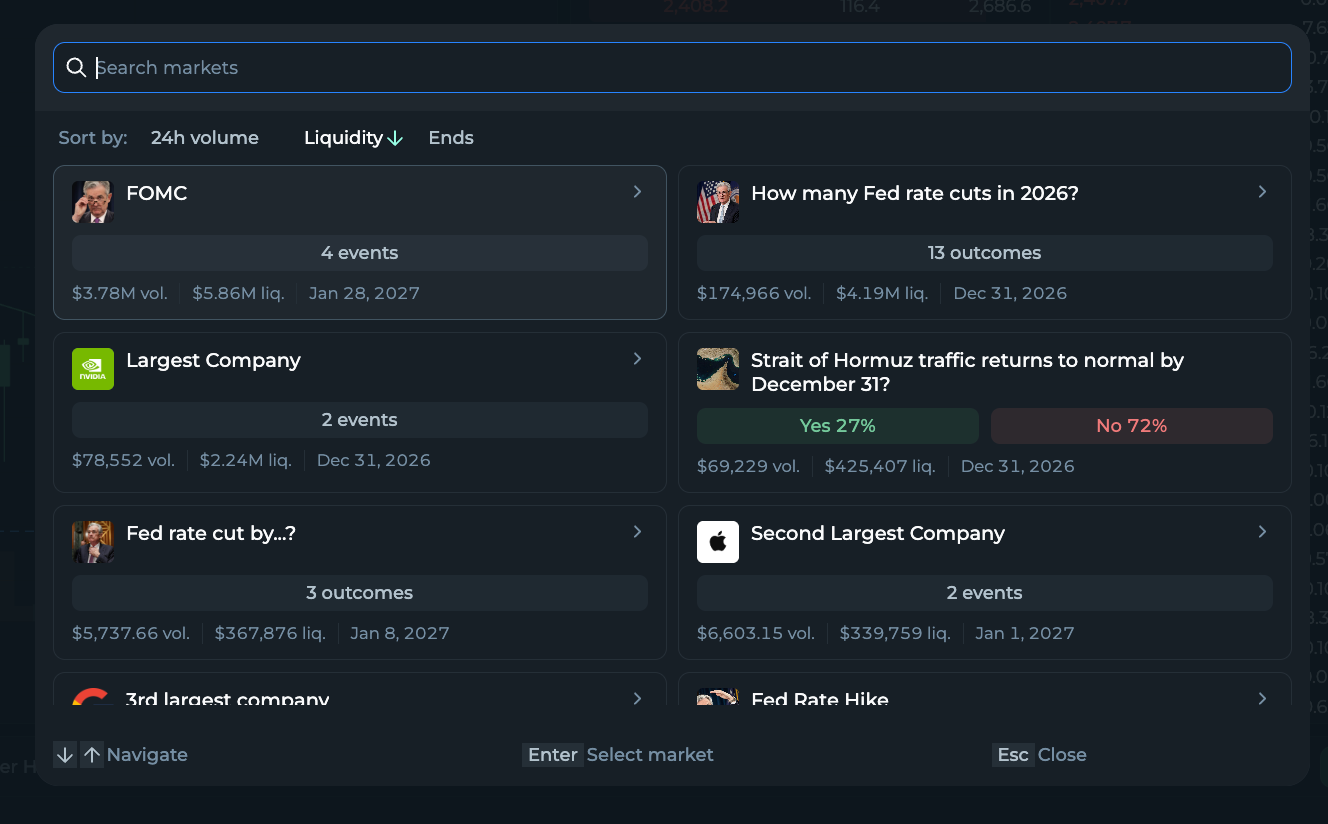
Now here’s the interesting bit.
You can automate your Hyperliquid perps using Polymarket prediction-market odds as triggers. Just set an order to be executed when the odds of a real-world event cross a threshold you define, or when they move by a chosen percentage within a specific time window.
This lets you enter or exit a trade as soon as an event relevant to your thesis starts looking more or less likely. You can also use the dedicated Polymarket Close option to fully or partially close an existing position when the odds of a selected market move above or below your chosen threshold.
For example, if the odds of “No Fed rate cuts in 2026” drop by 10% within one hour, you could use that move to trigger a long $SPX position.
Or, if the odds of “Next Google Gemini Pro model released by August 31” jump by 15 % within one hour, you could automatically go long $GOOGL.
You don't have to predict the exact price move. You just define what change in expectations should make you act.
Another novelty for DFS x Hyperliquid?
We’ve also introduced Chase orders, an advanced order type that lets your limit order follow the market as it moves. This means that DFS Automation continuously adjusts your order to the top of the book. It helps you stay on the maker side and aim for a better entry/exit price.
By setting a maximum chase distance, either as a fixed amount or percentage, you can limit how far your order can follow the market. If needed, you can cancel an active Chase order at any time or execute it immediately as a market order.
Chase can be used both to open new positions and close existing ones, with notifications available to keep you updated on every execution.
That’s all for this week’s updates. But stay alert, we’ve got more in store for next week. And, as always, if you need a hand managing your Hyperliquid positions, feel free to stop by our Discord server. We’ll be happy to help.
Until the next post, stay safe out there!
Stay connected: